
Original: $10.86
-65%$10.86
$3.80The Story
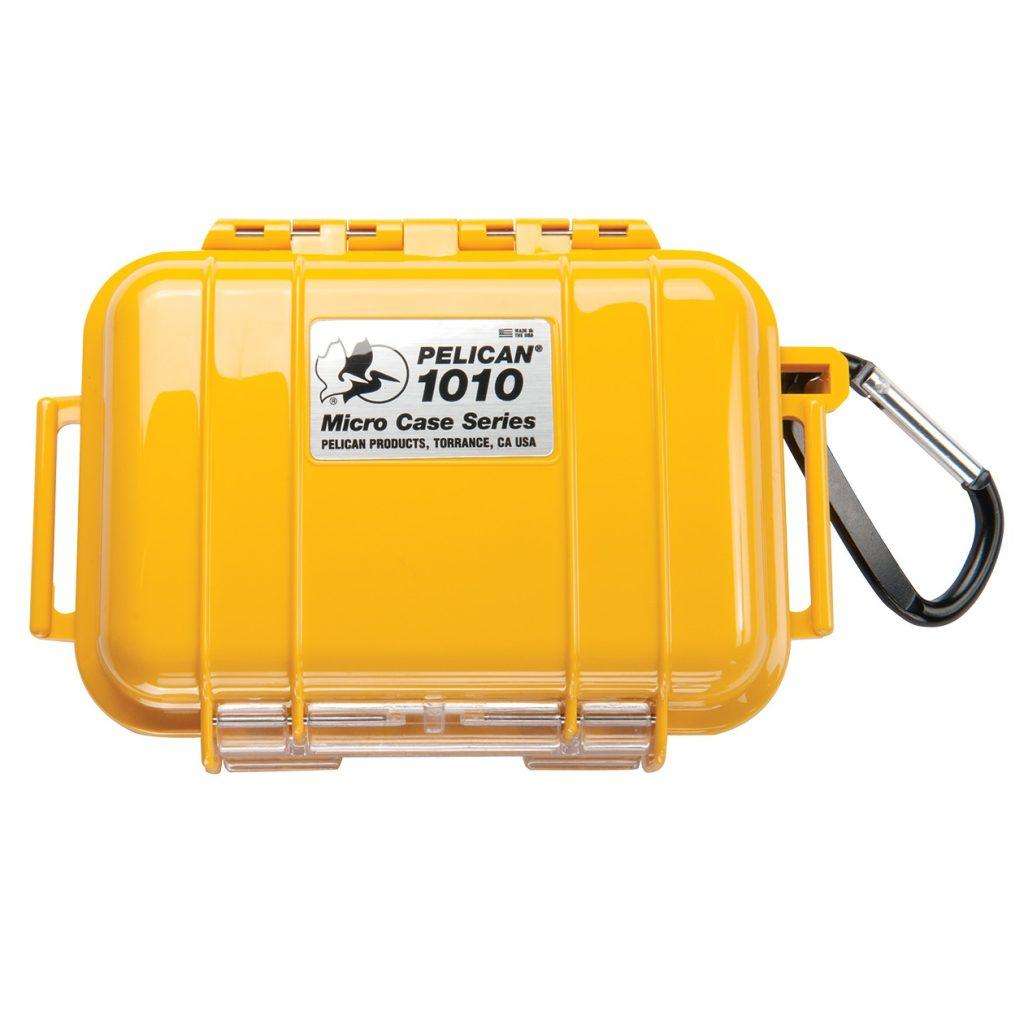
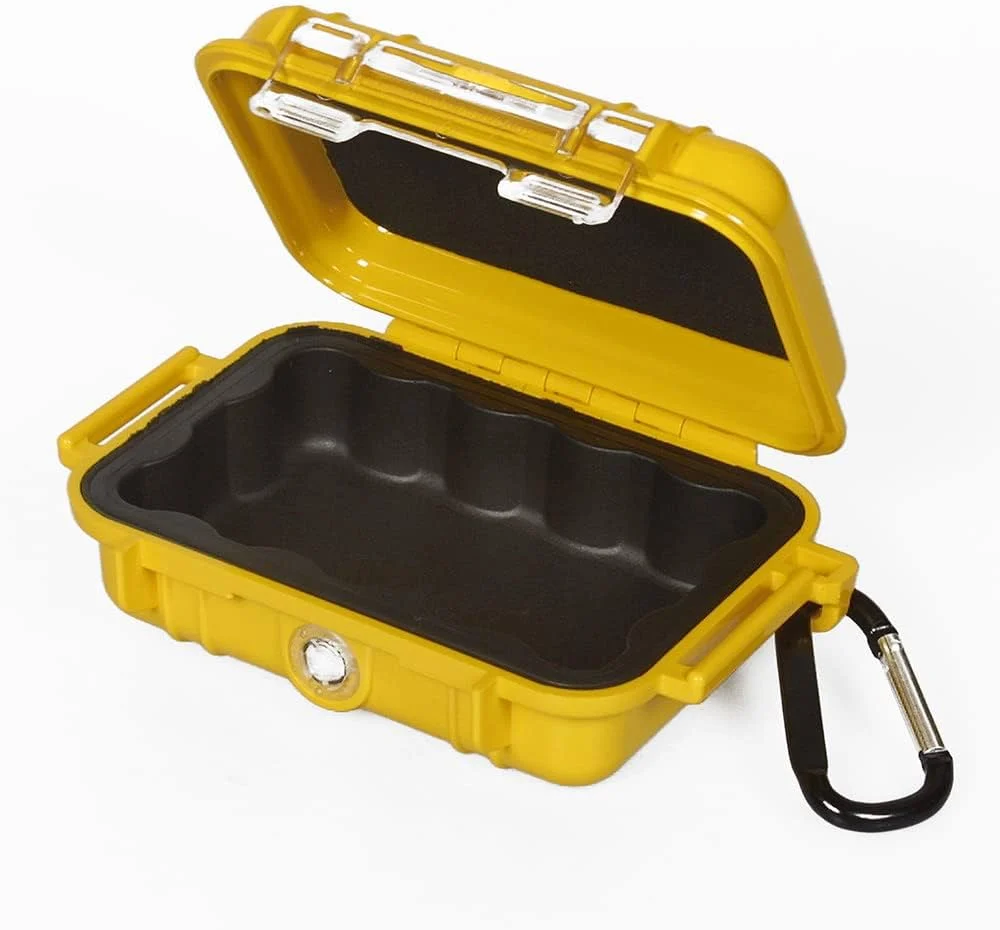
Turn your Peli™ 1010 Micro Case into a custom-fit home for your gear with the 1012 Pick N Pluck™ foam insert. Pre-diced into small cubes, this grey polyurethane base foam lets you pull out pieces by hand to build a snug, precisely shaped nest around whatever you're carrying — no scissors, no craft knife, no glue, no mess.
How Pick N Pluck Foam Works
The whole block is scored into a fine grid of small cubes, so you don't need any tools to shape it — just your fingers. Lay the item you want to protect on top of the foam, press down gently to leave an impression of its outline, then pluck out the cubes inside that outline one by one. Work from the centre outward and go slowly around corners; it's much easier to remove one more cube than to put one back. The result is a cavity that hugs the exact contours of your item, so it can't shift, rattle, or knock against the case walls in transit.
Made to Fit the 1010, Precisely
This insert is sized specifically for the Peli 1010 Micro Case, whether you're replacing a worn or over-plucked original base foam or simply want a spare to configure for a different item. The foam piece measures 10.9 × 7.2 × 2.4 cm, matching the internal footprint of the case exactly, so it drops straight in without trimming. As a rule of thumb, leave at least a 2.5 cm (1 inch) wall of foam around your equipment on every side — that margin is what actually absorbs the shock of a drop or knock, so resist the temptation to pluck too close to the edges.
Real-World Uses
The 1010 is one of the smallest cases in the Peli Micro Case line, and this foam is built for what actually goes inside one: memory cards and SD/CF cards for a shoot, spare SIM and eSIM cards, USB drives holding backups or install media, a pair of earbuds or a hearing aid, small electronic sensors or dive computer accessories, cufflinks, rings and other jewellery you don't want loose in a bag, or medication that needs to travel securely and stay identifiable. Anything small, easily lost, or awkward to protect in a soft pouch is a good candidate — the plucked cavity keeps it exactly where you left it, even if the case gets tossed in with heavier kit.
Why It's Worth Doing Properly
A loose item bouncing around inside a hard case can do as much damage as dropping the case itself — every knock against the shell gets transferred straight to whatever's inside. Foam that's been carefully plucked to shape turns that same hard case into cushioned, fitted storage, which is really the point of buying a Peli case in the first place rather than a generic box. It's a small, inexpensive step, but it's the difference between gear that arrives exactly as it left and gear that arrives rattled.
Quick Tips Before You Start
- Test-fit your item on the foam surface before plucking anything, so you know exactly where the outline should go.
- Remove cubes gradually — you can always take out more, but you can't put a cube back once it's gone.
- Keep that 2.5 cm buffer around the item on all sides for real impact protection.
- For items with an irregular shape, pluck the main body first and refine the edges afterwards.
- If you're storing several small items, group them close together to avoid weakening the foam with too many separate cavities.
Specifications
- Compatible case: Peli 1010 Micro Case
- Foam piece exterior dimensions: 10.9 × 7.2 × 2.4 cm
- Material: Grey polyurethane Pick N Pluck cube foam
- Recommended foam wall around item: 2.5 cm (1 inch) minimum
- Use: Direct replacement or spare base foam for the 1010 Micro Case
Description
Turn your Peli™ 1010 Micro Case into a custom-fit home for your gear with the 1012 Pick N Pluck™ foam insert. Pre-diced into small cubes, this grey polyurethane base foam lets you pull out pieces by hand to build a snug, precisely shaped nest around whatever you're carrying — no scissors, no craft knife, no glue, no mess.
How Pick N Pluck Foam Works
The whole block is scored into a fine grid of small cubes, so you don't need any tools to shape it — just your fingers. Lay the item you want to protect on top of the foam, press down gently to leave an impression of its outline, then pluck out the cubes inside that outline one by one. Work from the centre outward and go slowly around corners; it's much easier to remove one more cube than to put one back. The result is a cavity that hugs the exact contours of your item, so it can't shift, rattle, or knock against the case walls in transit.
Made to Fit the 1010, Precisely
This insert is sized specifically for the Peli 1010 Micro Case, whether you're replacing a worn or over-plucked original base foam or simply want a spare to configure for a different item. The foam piece measures 10.9 × 7.2 × 2.4 cm, matching the internal footprint of the case exactly, so it drops straight in without trimming. As a rule of thumb, leave at least a 2.5 cm (1 inch) wall of foam around your equipment on every side — that margin is what actually absorbs the shock of a drop or knock, so resist the temptation to pluck too close to the edges.
Real-World Uses
The 1010 is one of the smallest cases in the Peli Micro Case line, and this foam is built for what actually goes inside one: memory cards and SD/CF cards for a shoot, spare SIM and eSIM cards, USB drives holding backups or install media, a pair of earbuds or a hearing aid, small electronic sensors or dive computer accessories, cufflinks, rings and other jewellery you don't want loose in a bag, or medication that needs to travel securely and stay identifiable. Anything small, easily lost, or awkward to protect in a soft pouch is a good candidate — the plucked cavity keeps it exactly where you left it, even if the case gets tossed in with heavier kit.
Why It's Worth Doing Properly
A loose item bouncing around inside a hard case can do as much damage as dropping the case itself — every knock against the shell gets transferred straight to whatever's inside. Foam that's been carefully plucked to shape turns that same hard case into cushioned, fitted storage, which is really the point of buying a Peli case in the first place rather than a generic box. It's a small, inexpensive step, but it's the difference between gear that arrives exactly as it left and gear that arrives rattled.
Quick Tips Before You Start
- Test-fit your item on the foam surface before plucking anything, so you know exactly where the outline should go.
- Remove cubes gradually — you can always take out more, but you can't put a cube back once it's gone.
- Keep that 2.5 cm buffer around the item on all sides for real impact protection.
- For items with an irregular shape, pluck the main body first and refine the edges afterwards.
- If you're storing several small items, group them close together to avoid weakening the foam with too many separate cavities.
Specifications
- Compatible case: Peli 1010 Micro Case
- Foam piece exterior dimensions: 10.9 × 7.2 × 2.4 cm
- Material: Grey polyurethane Pick N Pluck cube foam
- Recommended foam wall around item: 2.5 cm (1 inch) minimum
- Use: Direct replacement or spare base foam for the 1010 Micro Case